All Help
SAFLIO COUNTER · HELP
🧾 Orders: history & refunds
Every sale is saved automatically — view, reprint, and track your order history here.
 🔍
🔍 Viewing Orders
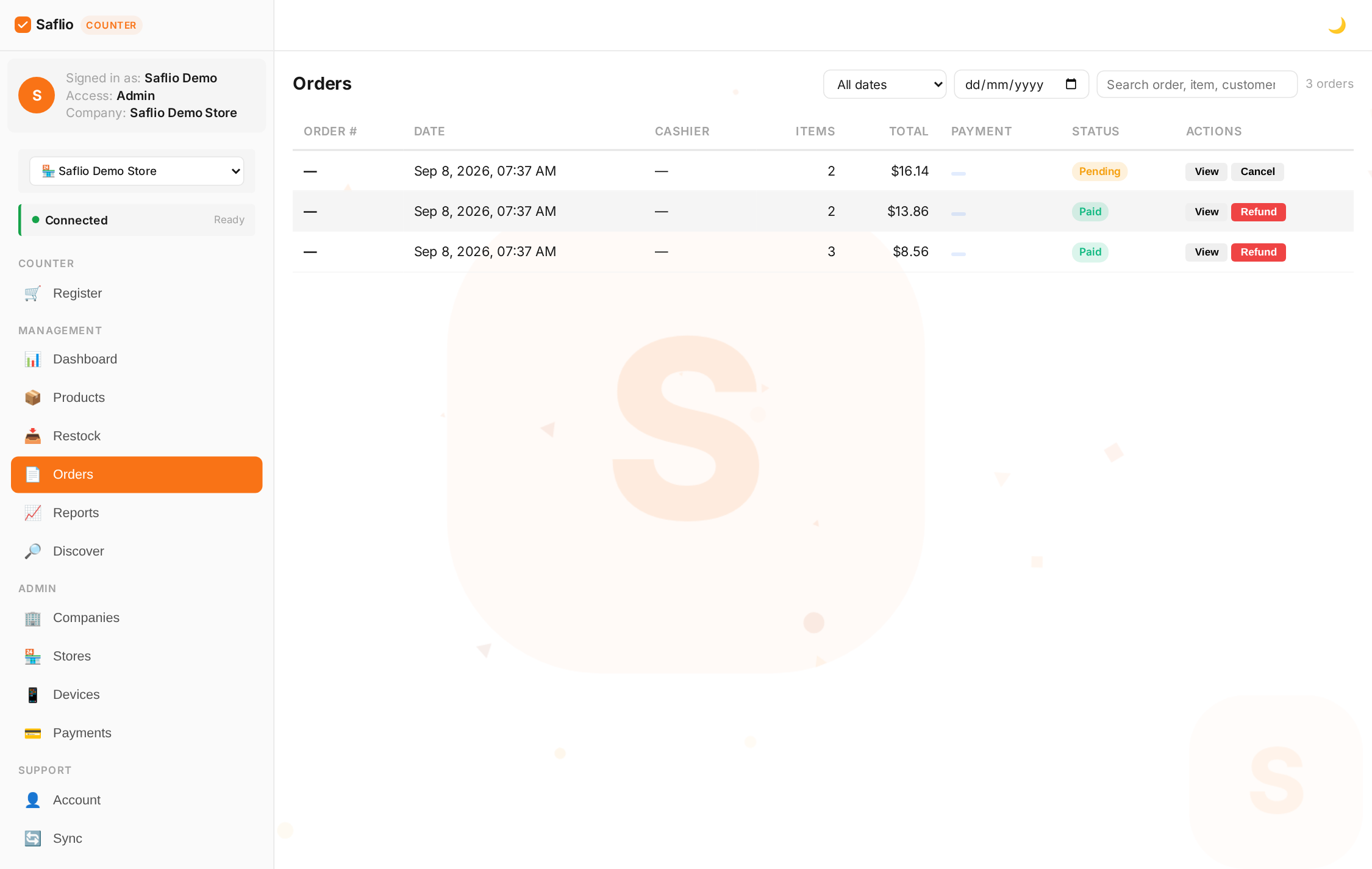
- Open Orders to see your full sales history
- Each order shows items, totals, payment method, and the cashier
- Use the search or date filter to find a specific sale
Moving through pages
- The list pages through 10 at a time — use ‹ and › to step to the previous or next set, and « / » to jump to the very first or last page
- Type a page number in the box and press Go (or Enter) to jump straight to it
Order statuses
- Pending — payment started but not confirmed (e.g. a GCash QR that was never completed)
- Paid — the sale is complete and stock was taken out
- Cancelled — the order was voided and its stock returned
- Refunded — a paid order was refunded and items returned to inventory
- Partially refunded — some items were refunded; the rest can still be refunded later
Cancelling & refunding
- Cancel is available on Pending orders only — it voids the sale and returns stock
- Refund is available on Paid orders — items return to inventory
- Refunding from the list refunds the ENTIRE order
- After cancelling or refunding, the table refreshes automatically so the new status shows right away
Item-level refunds
- Open a paid order (Transactions → View) and click Refund items to refund part of an order
- Every item starts selected with its full refundable quantity — uncheck items or lower the quantity to refund only some
- Already-refunded lines show their count (e.g. 2/3) and cannot be refunded twice
- Print a refund slip for the customer as proof the refund was issued
Reprinting Receipts
Open any order and tap Reprint. The receipt goes to your thermal printer, or you can view it on screen if no printer is connected.
Reprinted receipts and refund slips come out in the register's current language — switch the language first if the customer needs it in another one.
Who Rang Up the Sale
Orders record the cashier automatically from the PIN used to sign in. This is great for shift reports, commissions, and answering "who sold what".
Orders Made Offline
Sales made while offline are stored on the device and uploaded when the connection returns. They appear in Orders with their original timestamp.