All Help
SAFLIO COUNTER · HELP
📦 Products: catalog & stock
Products are the heart of your catalog. Set them up once and they're available on every device in your company.
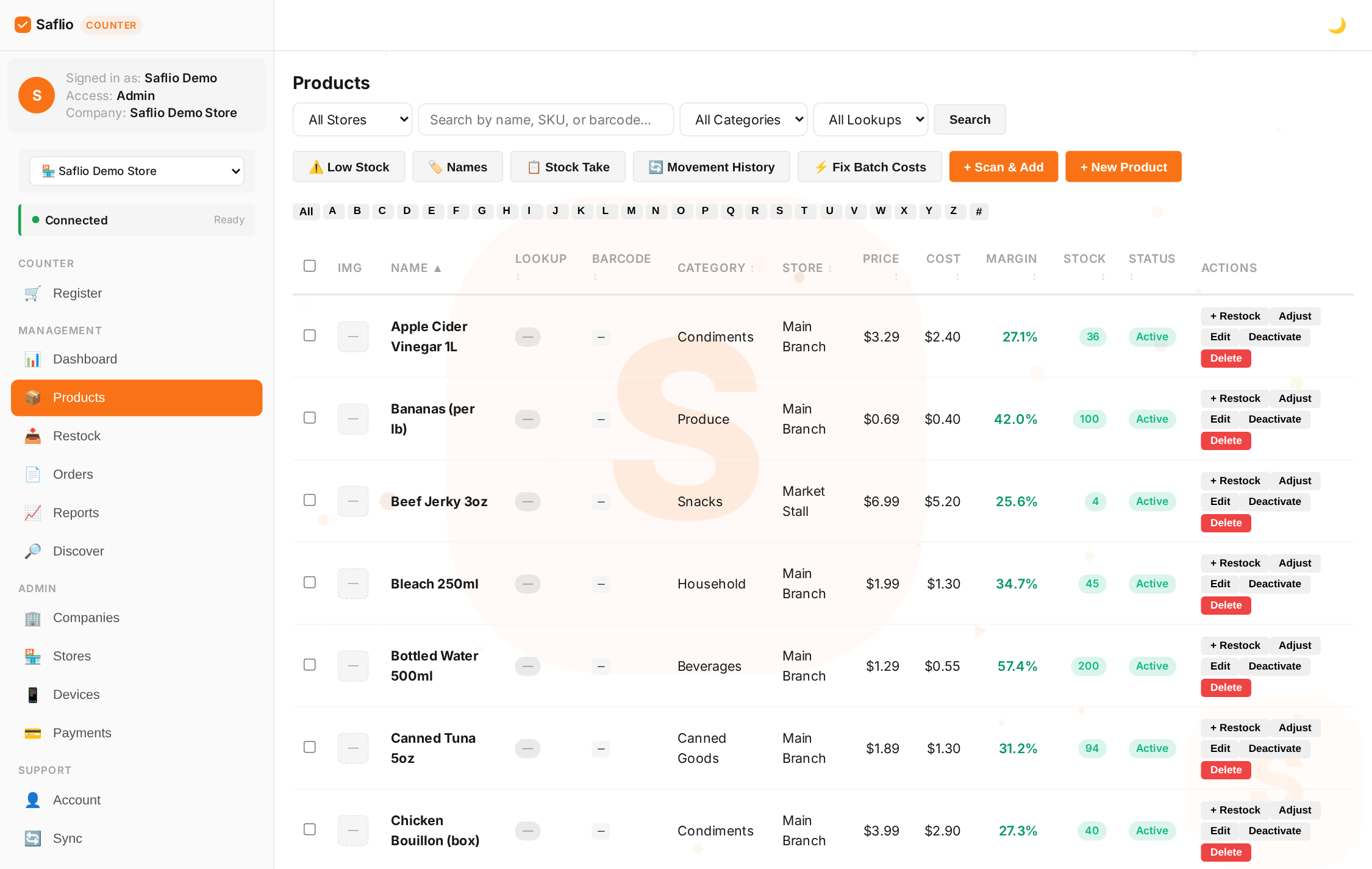 🔍
🔍 Adding a Product
- Go to Products → Add Product
- Enter a name, price, and category (e.g. Snacks, Drinks, Grocery)
- Add a SKU or barcode so it can be scanned at the register
- Optional: cost, tax rate, and unit (piece, kilo, etc.)
Barcodes
Type a barcode into the product field or scan it with a USB scanner. At the register, scanning a barcode adds the product to the cart instantly — no typing needed.
💡 Missing from the kiosk grid? Check whether it has a barcode: barcoded products are sold through the kiosk search box or a scan, so they don't appear as tiles.
Moving through pages
- The list pages through 10 at a time — use ‹ and › to step to the previous or next set, and « / » to jump to the very first or last page
- Type a page number in the box and press Go (or Enter) to jump straight to it
Stock Levels
- Track how many units you have in Inventory
- Sales automatically reduce stock
- Use stock adjustments for deliveries, spoilage, or corrections
Publishing products (owners, admins & managers)
- New products from an Inventory Only teammate arrive without a price and are hidden from the register
- An owner or company admin sets the price and clicks Publish — the item then appears on every register
- Products with a price of 0 or no price show a "needs pricing" badge until they're priced. Use the 🏷️ Needs Pricing button to see them all at once, then publish per item or in bulk
- A Manager can publish an item that already has a price, but cannot change prices. Inventory Only teammates never see prices or costs at all — they enter products and restock, and an owner or manager publishes
- The 🏷️ Needs Pricing filter narrows the list to items still waiting for a price and publish, so nothing an Inventory teammate entered stays hidden from the register by mistake
- Publish in bulk: tick the items you want (or Select all on this page) and press Publish to price and release them all at once
💡 Inventory Only teammates never see prices or costs — the server strips those fields, so they're never even sent to the device. They add the product; an owner, admin, or manager prices and publishes it.
Naming products / Display names
- Display Name is what customers see on the register screen — keep the internal name short and set a friendlier display name (e.g. name "555" → display "555 Sardines Hot")
- Use 🪜 Suggest names to derive names in bulk, then tick the rows you want and press Apply — nothing is written until you apply
- Names are derived best-first: your local name DB → the Open Food Facts label → AI → the raw name. A name you typed yourself always wins over label or AI.
Restock orders
- Go to Restock → New Order, pick your supplier, and add the items you're ordering
- When the shipment arrives, record the arrival and enter the received quantities — new stock is added automatically
- Order statuses: Ordered → Partial → Awaiting entry → Done (or Cancelled)
Importing a Catalog
Starting fresh? A company admin can import your whole catalog from a CSV (name, price, barcode, stock, and more). This is the fastest way to seed a new store — ask your admin or support for the import template.
💡 Keep categories short and consistent (e.g. "Drinks" not "Beverages & Cold Drinks"). They power your quick-add buttons and reports.